Selected work / Custom software + AI implementation
From media library
to scheduled release.
FFLUCE Scheduler connects a media library, composition tools, AI-assisted titles, descriptions and thumbnails, rendering, and YouTube scheduling in one custom application. Built for ambient-video production, it brings the production queue, content details, and delivery records together so operators can follow each video through the workflow.
How the pieces connect
- Reusable media
- Schedule & composition
- FFLUCE renderingAI metadata & thumbnails
- YouTube scheduling
Connected capabilities, not a fixed sequence every video must follow.
01 / Production plan
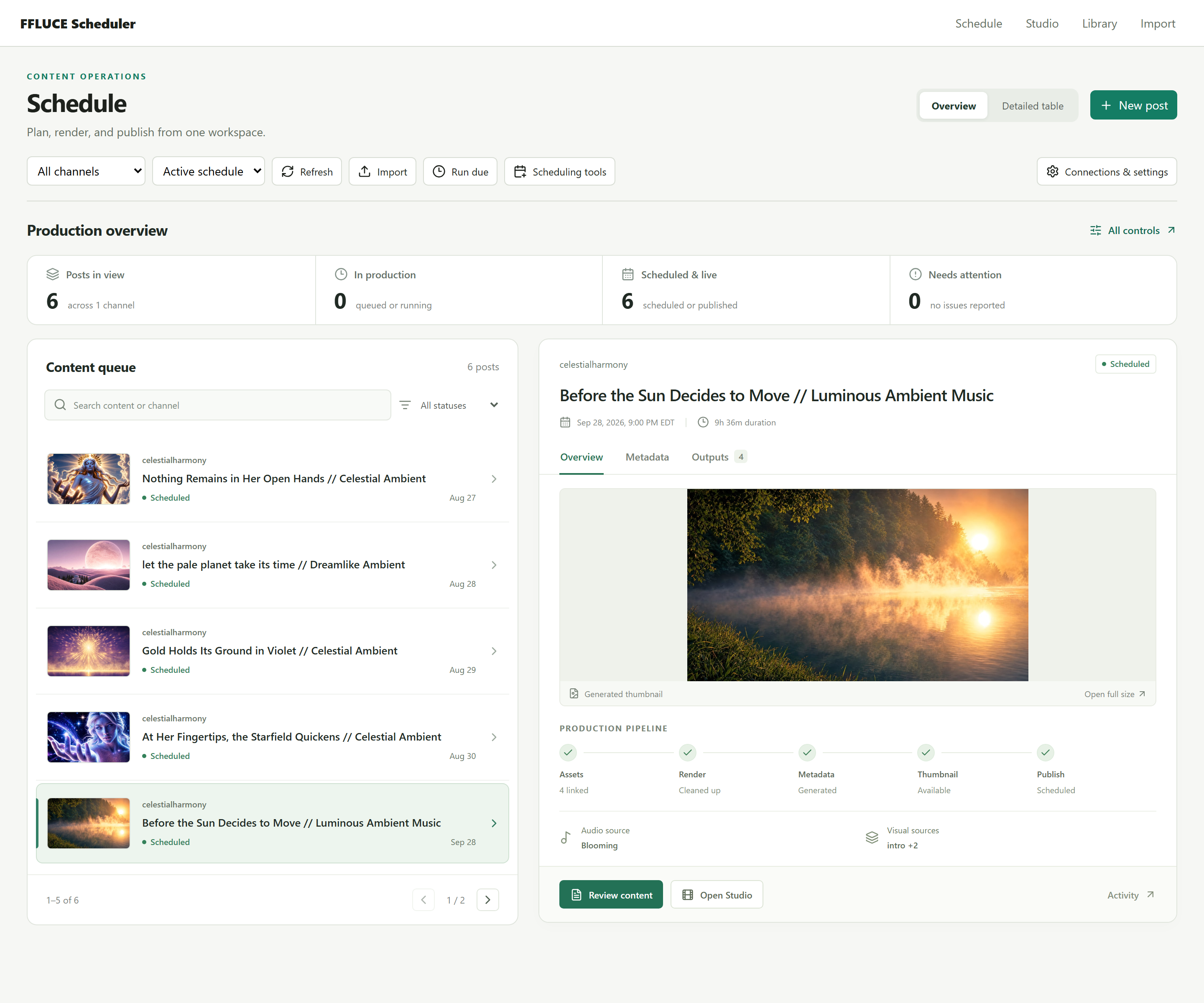
One place to follow production.
Browse the queue, see each post's status, and open its preview and source assets without losing the surrounding schedule.
02 / Content details
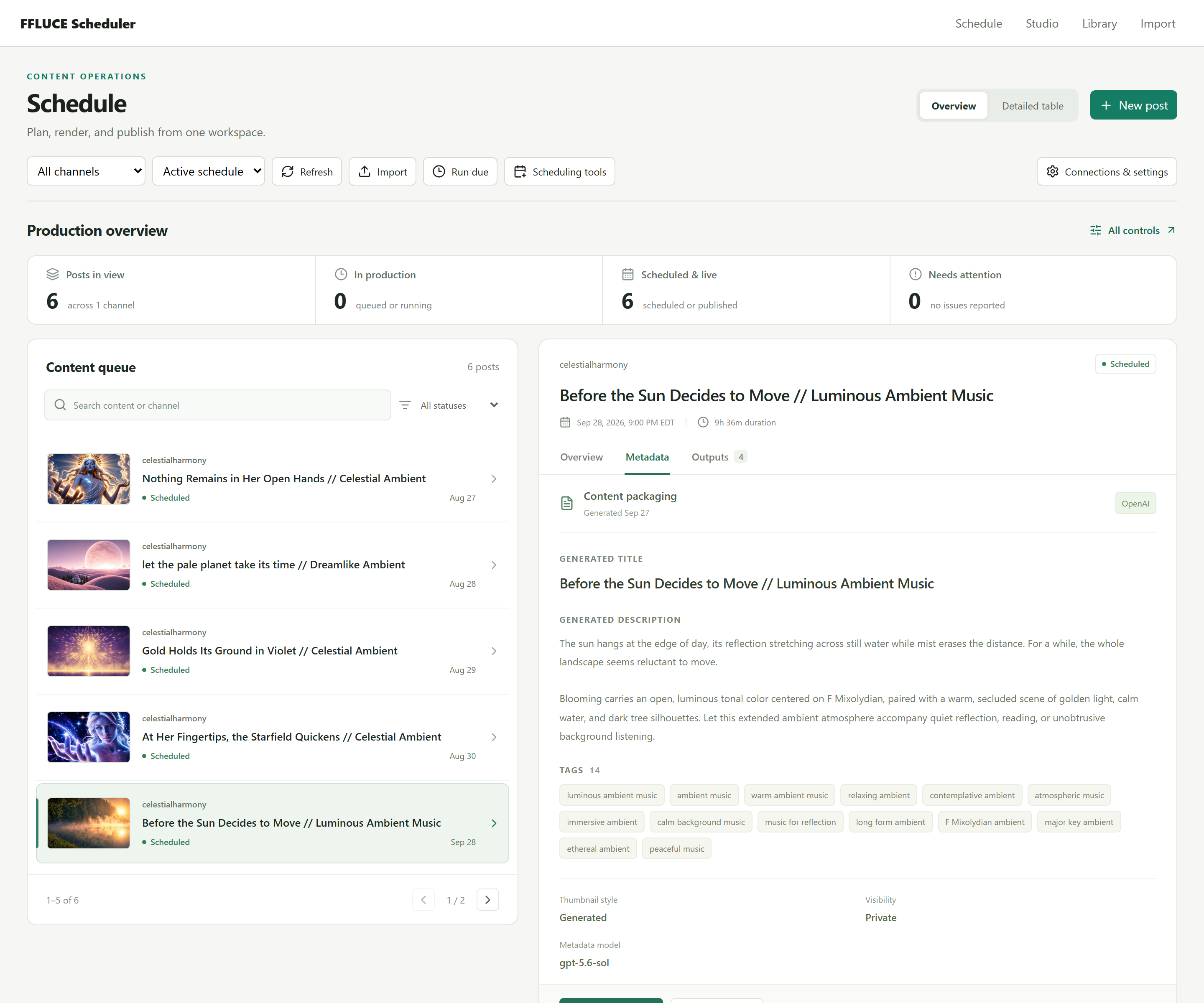
AI assistance inside the workflow.
Generated titles, descriptions, tags, and thumbnail text stay attached to the video they describe, with review and editing available from the same workspace.
03 / Delivery record
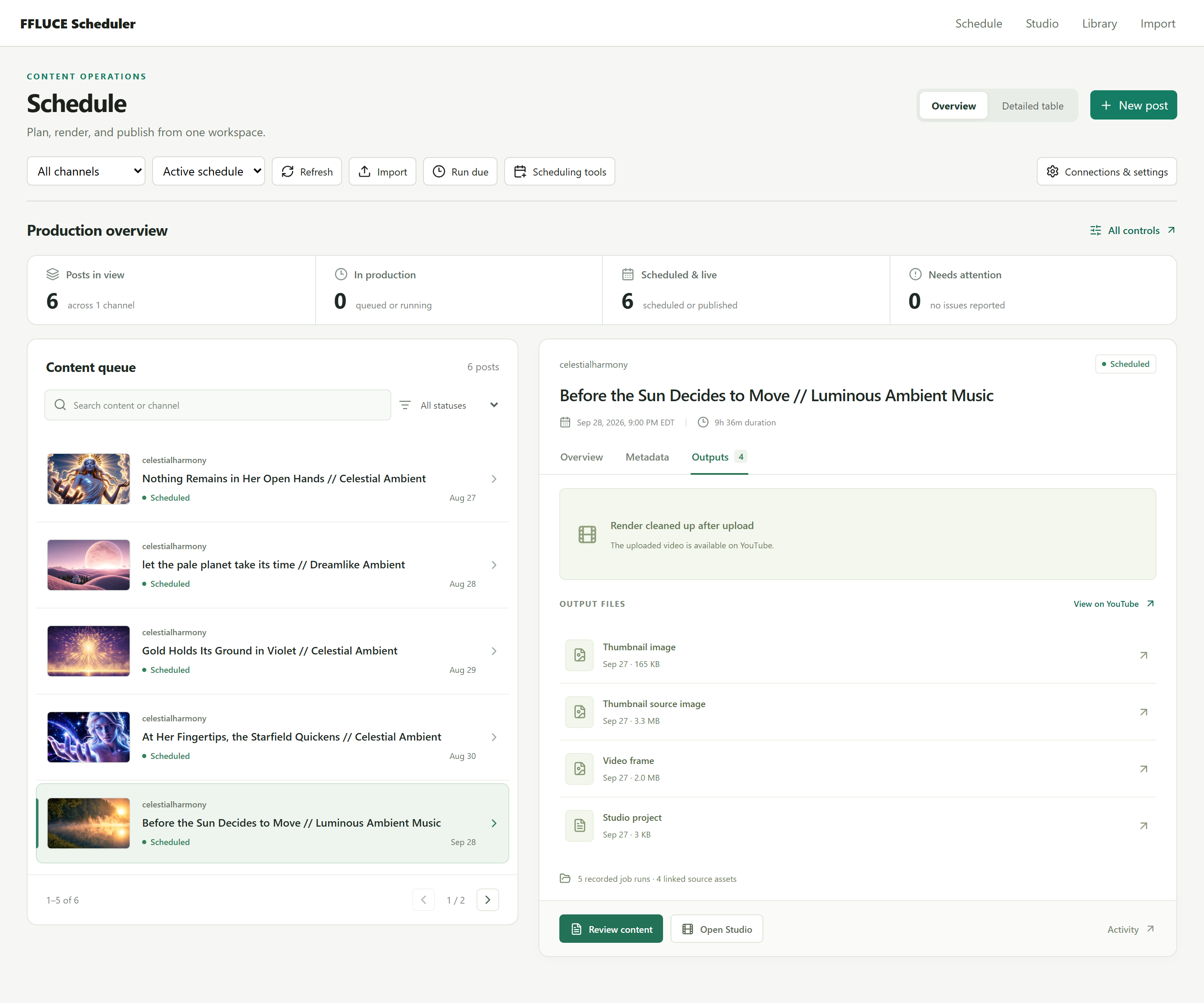
Keep the handoff visible.
Find output files and the uploaded video's YouTube link together. After upload, the application records when a local render has been cleared, so nobody goes looking for a file that's no longer there.
About these screens
Real saved state.
All three views follow the same saved post through the Overview, Metadata, and Outputs tabs. They show real content and statuses from the application, not a rendering benchmark.
Posts marked Scheduled are scheduled YouTube uploads, not yet published. Review and editing are available from the same workspace.

Start with one workflow
WHAT KEEPS
SLOWING YOU DOWN?
Show us the repeated task, the missing information, or the tool that doesn't fit. In a free 20-minute call, we'll decide whether there's a useful project to take on.