Selected work / New product
Musical direction.
An editable AI film.
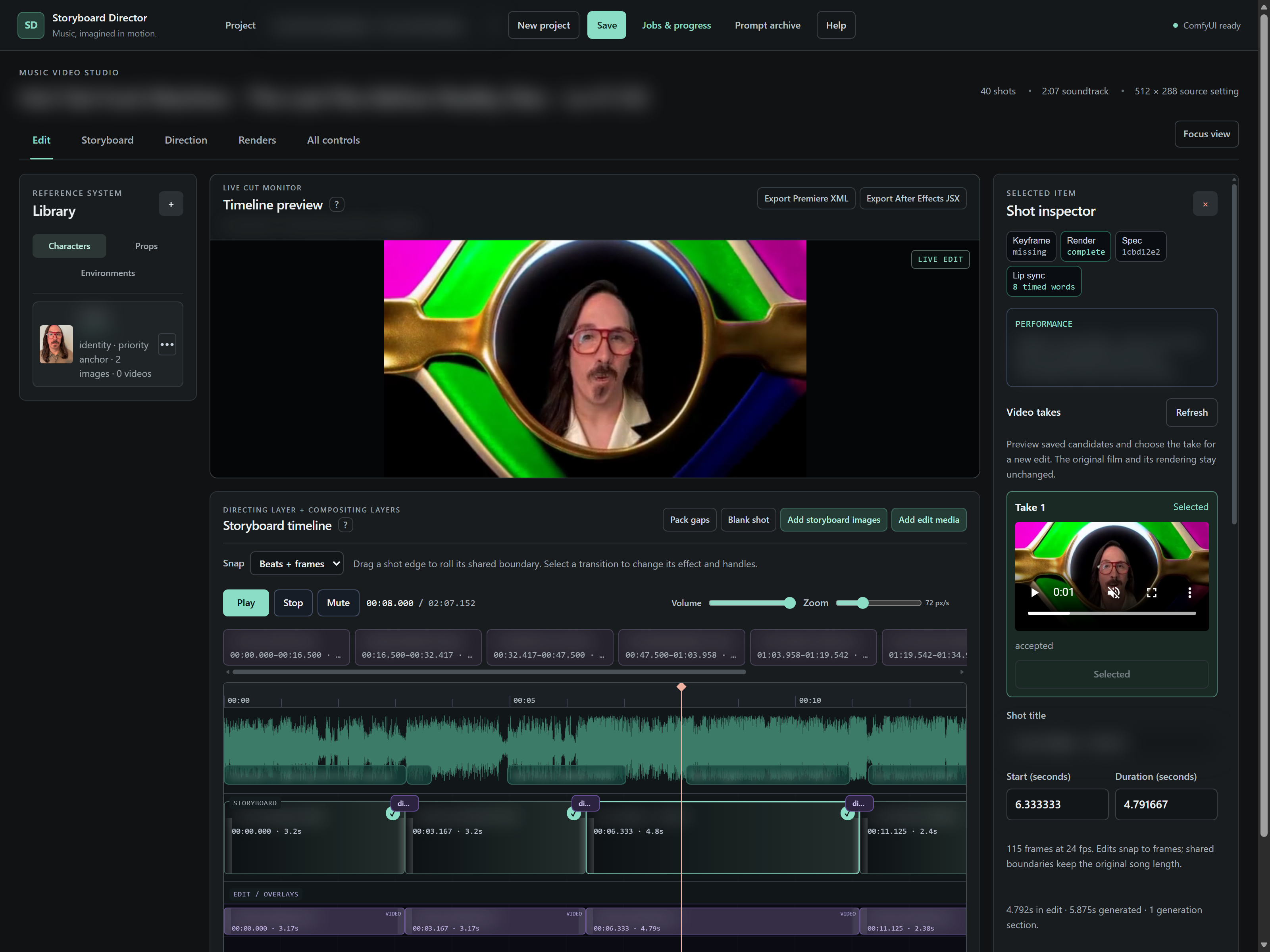
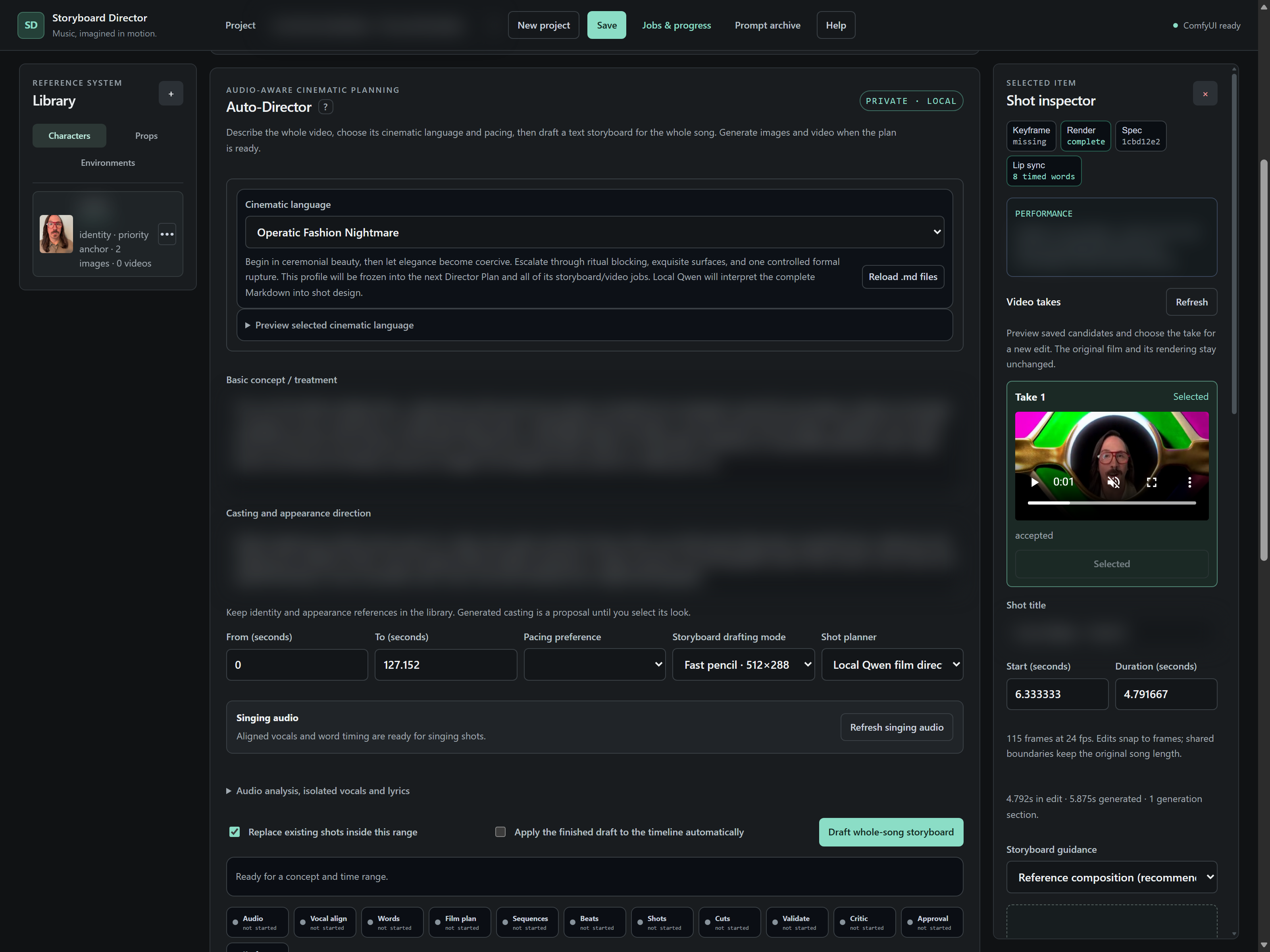
Storyboard Director brings the stages of AI music-video production into one workspace. Start with a song, visual references and creative direction, shape an editable shot plan, then generate and review footage against the original music timeline.
The problem
More than generating clips.
Creating a complete AI music video involves more than generating individual clips. Shot direction, references, timing, alternate takes and transitions must remain connected as the film changes.
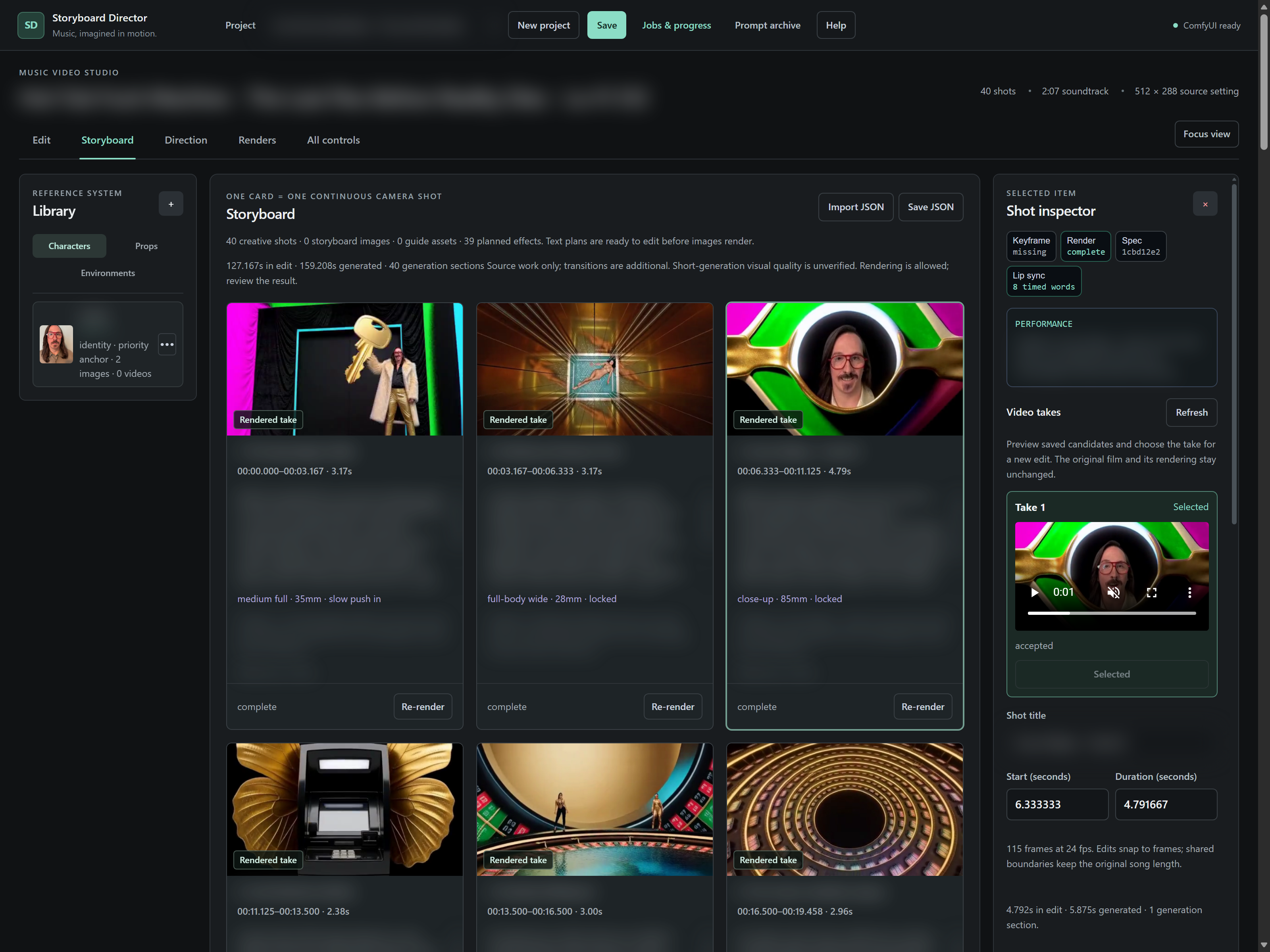
The application treats the film plan as the shared structure for planning, generation and editing. Creators can review shot direction before rendering, work with saved takes, and follow source generation, transitions and assembly through distinct stages.
Workflow
Directed by a person.
Assisted by AI.
From the master song to a reviewed final video, each stage stays visible and editable.
Set the direction
Add the master song and visual references, then describe the concept, casting, cinematic language and pacing. Optional vocals and lyrics support performance planning.
Shape the film
Draft a whole-song plan with sequences, beats, shots and transitions. Review the storyboard, adjust timing and direction, and approve the plan before video generation.
Generate source takes
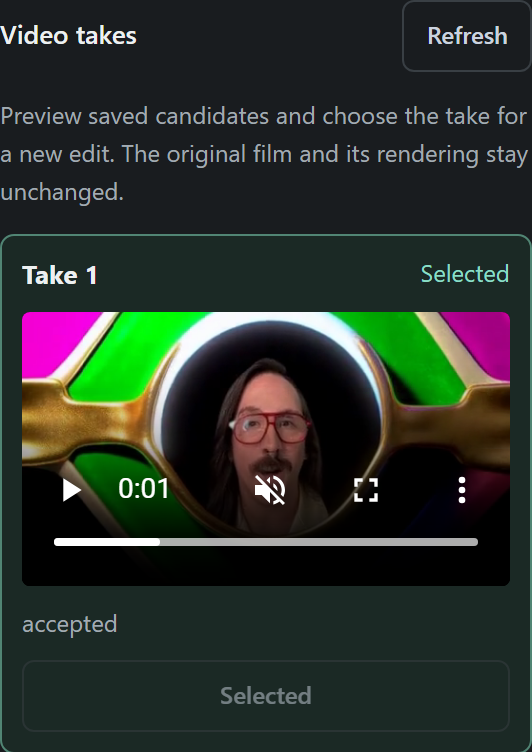
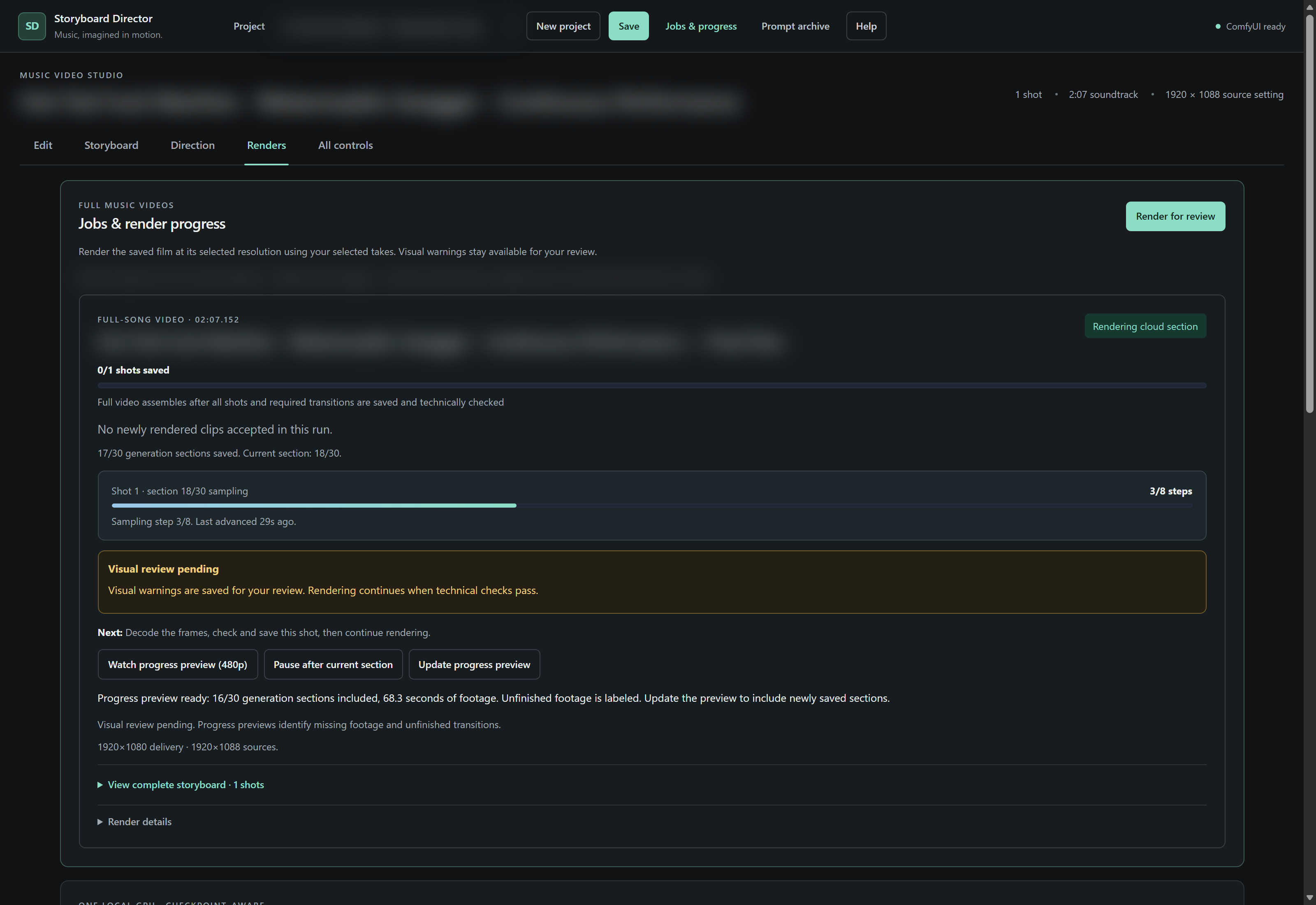
Render selected shots or the film using supported local or cloud execution. Saved takes and checkpoints preserve completed work for review and further revision.
Build transitions and assemble
Use selected source takes to produce the planned transitions, then assemble the film against the original master soundtrack and its shared timing clock.
Review and hand off
Inspect the resulting footage, choose or revise takes, and review the final video. Export options include Premiere XML and After Effects JSX for further editing.
Capabilities
Built for iteration.
Editable creative direction
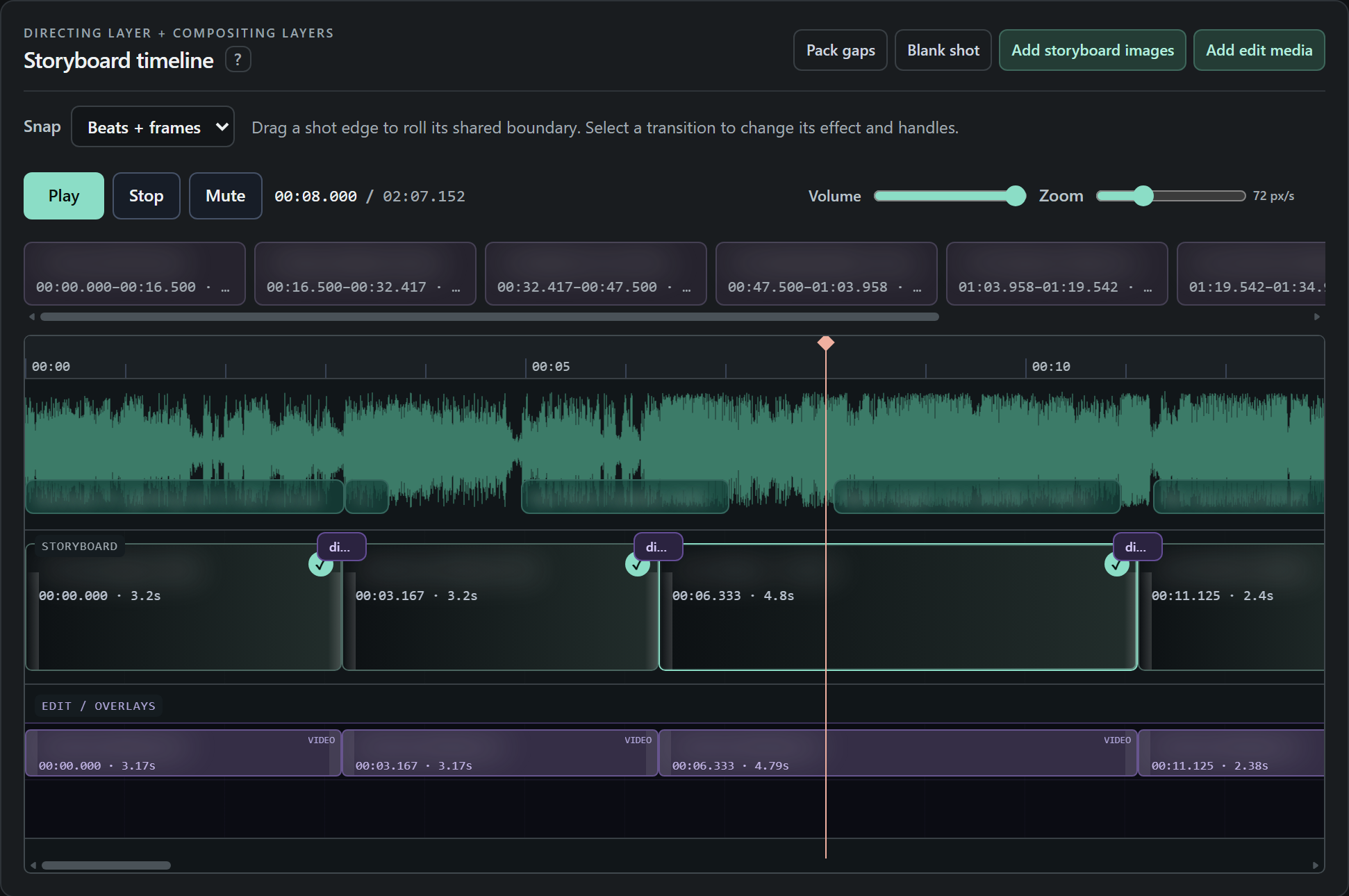
Shot prompts, references, camera direction and timing remain visible and editable rather than being hidden inside a single generation request.
One music clock
Shots and transitions use explicit timing tied to the original song. Final assembly restores the master soundtrack.
Saved work for iteration
Take selection and checkpointed generation support revision without treating every attempt as a new film.
Visible production stages
The interface distinguishes active generation, saved footage, transitions and assembly so a render's progress can be understood.
Human review
A person judges the film.
Generated footage remains subject to human visual review. Timing and saved-work checks help manage production, while the creator judges performance, continuity and the final look.
Identifying song and project content is intentionally blurred. Local, cloud and export paths don't all have identical capabilities. The completed sample footage includes 512 × 288 sources; screenshot dimensions don't indicate the resolution of generated footage.

Start with one workflow
WHAT KEEPS
SLOWING YOU DOWN?
Show us the repeated task, the missing information, or the tool that doesn't fit. In a free 20-minute call, we'll decide whether there's a useful project to take on.